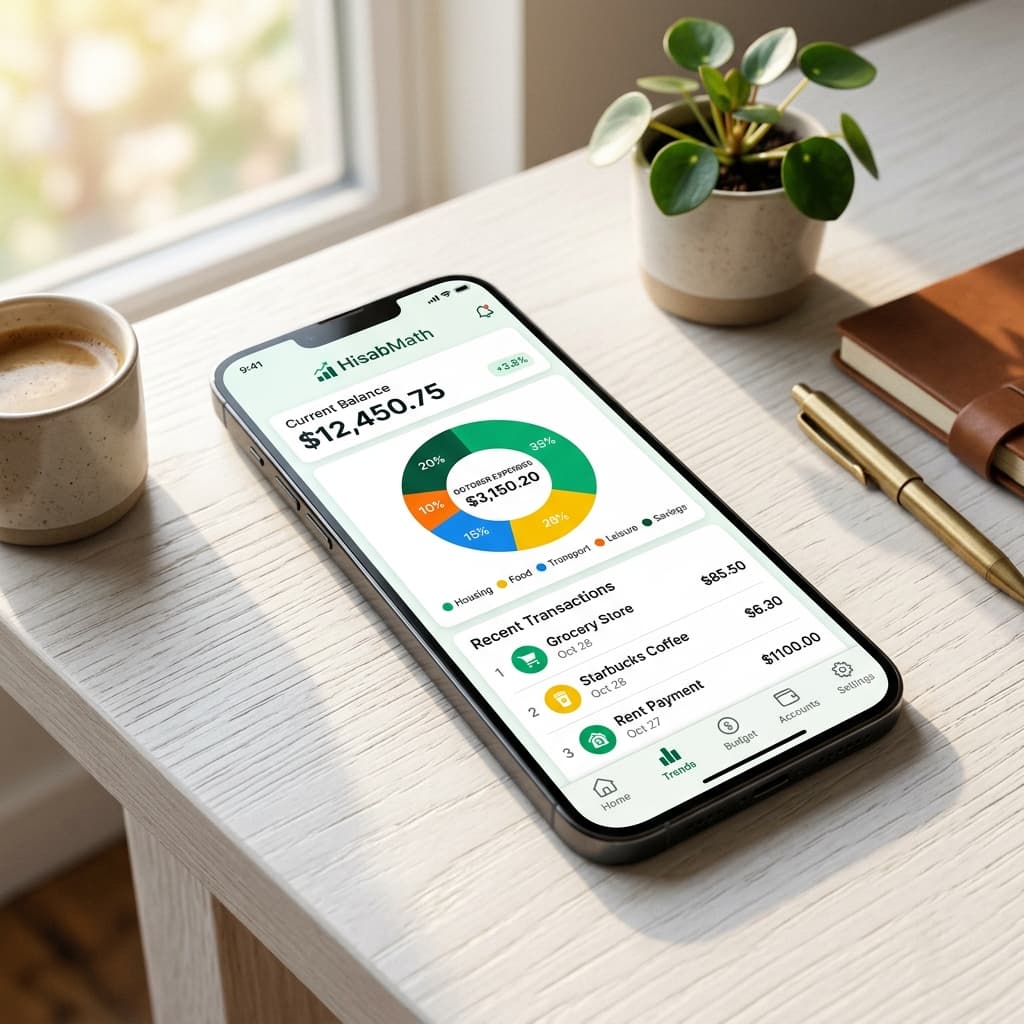
Most of us know roughly what we earn. Far fewer of us know where it actually goes. Groceries, fuel, the electricity bill, a subscription we forgot about, the tea stall every evening — it adds up quietly. ExpenseMath is our answer to that: a fast, no-nonsense expense tracker that shows you exactly where your money went this month, warns you before a budget runs dry, and — because money data is personal — encrypts your records on your own phone before they are ever saved to the cloud.
In this article
Why we built another expense tracker
There's no shortage of budgeting apps. But when we tried them for our own households, the same problems kept coming up: they were built for someone else's bank, someone else's currency, or they wanted to link every account you own. Others were so simple they stopped being useful after the first week.
ExpenseMath started as a household tool for Pakistani families — hence its early codename, Kharcha — and grew from there. It speaks rupees natively, understands things like domestic help and religious donations as real spending categories, and treats privacy as a requirement rather than a feature on a pricing page.
Log an expense in seconds
The whole app is designed around one habit: writing down what you spend, right when you spend it. If that takes more than a few seconds, people stop doing it.
- Quick-add strip — save the things you buy all the time (petrol, milk, the daily commute) and log them with a single tap.
- Categories and subcategories — Groceries › Fruits, Utilities › Electricity, and so on. Fifteen sensible defaults come built in, and you can add, rename or hide your own.
- Dates, notes and descriptions so you remember what that Rs 4,500 was for three weeks later.
- Receipt photos — snap the bill with your camera or attach an image from your gallery.
- Income entries too, so the home screen can show your net cash flow — money in versus money out — not just what you spent.
Budgets that warn you before it's too late
A budget is only useful if it speaks up in time. In ExpenseMath you set a monthly limit for any category — say, dining out or clothing — and the app tracks it as you go. Progress bars show how much room is left, and budget alerts appear on your home screen when a category gets close to (or goes over) its limit.
You can also set an overall monthly budget, so the big number at the top of the home screen always tells you whether you're on track.
Recurring bills and subscriptions, in one place
Rent, school fees, internet, streaming services — the payments that repeat every month are the easiest ones to forget about. Add them once as recurring expenses, set how often they repeat and when they're due, and ExpenseMath keeps them in view so nothing sneaks up on you. Due dates are editable, because real life rarely bills on the same day twice.
Charts that actually answer questions
The analytics screen is built to answer the questions people really ask about their money:
- Where did it go? A category breakdown with your top 10 spending categories.
- Is this month worse than last month? Monthly bar charts show the trend at a glance.
- How did this year compare to last year? Year-over-year comparisons and yearly totals.
- What exactly did I buy? The history screen lets you search and filter by category, date range and amount, with entries grouped by day and swipe-to-delete for mistakes.
A proper Zakat calculator, built in
Working out zakat by hand is surprisingly error-prone. You have to value your cash, bank balances, gold and silver, investments and business stock, subtract what you owe, compare the result against a nisab threshold that itself moves with metal prices — and only then apply 2.5%.
ExpenseMath does the arithmetic for you. Add your assets and liabilities, enter today's gold or silver price, and the calculator tells you whether you're above nisab and how much zakat is due.
- Gold and silver by weight — enter grams or tolas, and choose the purity (24, 22, 21 or 18 karat). The app converts it to value using the price you enter.
- Gold or silver nisab — gold is the default basis, and you can switch to silver in the zakat settings.
- A wide range of assets — cash, bank accounts, stocks, mutual funds, crypto, committees (BC/ROSCA), business inventory, money owed to you and more.
- Saved calculations — keep dated snapshots so you can look back at previous years.
- Close the loop — record the zakat you've paid as a regular expense, so it shows up in your spending history too.
Privacy: your numbers, sealed with your PIN
Financial data says a lot about a person, so we designed ExpenseMath so that even we can't read it.
When you sign in with Google for the first time, you choose a 4-digit PIN. Your amounts, notes, budgets, recurring bills and zakat records are then encrypted on your phone with AES-256 before they're synced to the cloud. Your PIN never leaves your device. Look at the database from our side and all you'd see is scrambled ciphertext.
- PIN lock — the app asks for your PIN before showing any data, and you can lock it instantly from Settings.
- Recovery code — a one-time code lets you restore access on a new phone, or if you forget your PIN. Keep it somewhere safe.
- Encrypted cloud sync — your records follow you across devices, still encrypted.
- Delete everything in one tap — "Clear All Data" wipes your records from your phone and from the cloud.
Made for how you live
- 12 currencies with proper local formatting — Pakistani Rupee, Indian Rupee, US Dollar, Euro, British Pound, UAE Dirham, Saudi Riyal, Bangladeshi Taka, Canadian and Australian Dollars, Malaysian Ringgit and Turkish Lira.
- Dark mode for late-night budgeting.
- Export to CSV or JSON — open your data in Excel or Google Sheets, or keep a full backup.
Getting started takes about a minute
- 1Install ExpenseMath from Google Play.
- 2Sign in with Google and set your 4-digit PIN. Write down your recovery code.
- 3Pick your currency and, if you like, a monthly budget.
- 4Add your first expense — or tap a quick-add item — and you're tracking.
- 5Come back at the end of the month and open Analytics. That's usually the moment it clicks.
Frequently asked questions
Is ExpenseMath free?
+
Yes. ExpenseMath is free to download and use on Android. It is supported by ads.
Can ExpenseMath see my spending data?
+
No. Your financial records are encrypted on your phone with a key protected by your PIN before they are saved to the cloud, and your PIN never leaves your device. Receipt images are the one exception for now — they're stored with account-restricted access but aren't end-to-end encrypted yet.
What happens if I forget my PIN?
+
Use the one-time recovery code you were given when you set up the app. It lets you regain access and choose a new PIN. Without the PIN or the recovery code, nobody — including us — can decrypt your data.
How does the Zakat calculator work out nisab?
+
Nisab is based on 87.48 grams (7.5 tola) of gold by default, or 612.36 grams (52.5 tola) of silver if you switch the basis in settings. You enter the current metal price, and the app compares your net zakatable wealth against that threshold before applying the 2.5% rate.
Can I use ExpenseMath outside Pakistan?
+
Yes. Rupees are the default, but you can switch to any of 12 supported currencies, including USD, GBP, EUR, AED and SAR.
Can I export my data?
+
Yes. Settings lets you export everything as JSON for a full backup, or as CSV to open in Excel or Google Sheets.